
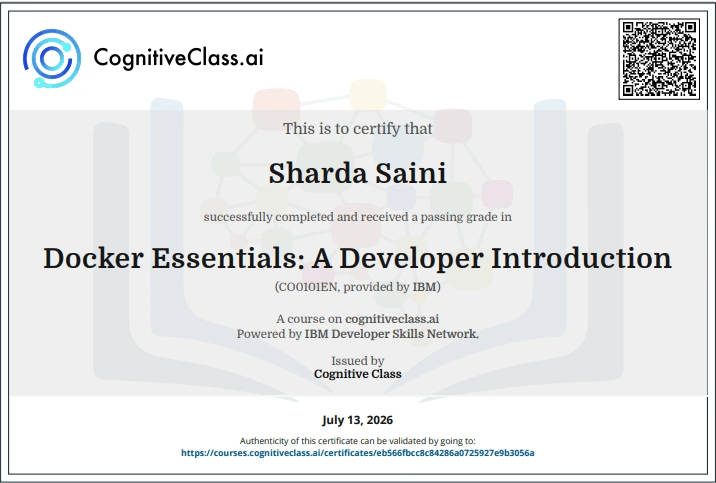
Organizer: IBM Developer Skills Network.
About the Course
- Learn how to use containers for your applications. Course on Docker Essentials-A Developer Introduction, Create and run your first Docker container. Then, learn how to run containers in production and solve problems of orchestration such as high availability, service discovery, and reconciliation.
- Certificate: Certificate Offered
- Estimated Effort: 3 Hours
- Level: Beginner
- Industries: Skills You Will Learn Containers, Docker
- Language: English
- Perfect For: Students, Freshers, Working Professionals, Career Switchers
- Free Online Learning
- Industry-Recognized Digital Credentials
- Self-Paced Courses
- Learn from IBM Experts
- Boost Your Resume & LinkedIn Profile.
Apply Link
100% Correct Answers Available Here
Course Name :- Course on Docker Essentials-A Developer Introduction
Lab 1 :- Run Your First Container
Question 1: Containers achieve isolation because of what feature in the Linux kernel?
Namespaces
Memory Swap management
System Dinit system
Permissions mechanisms
Question 2: What is the difference between a Docker container and a Docker image?
Nothing: these are two words for the same thing.
An image is the blueprint for spinning up containers. An image is a TAR of a file system, and a container is a file system plus a set of processes running in isolation.
Images are used to create the host machine that runs the Docker Engine.
Images are used only as a backup and restore mechanism for containers.
Question 3: Control groups (cgroups) limit and monitor resources.
True
False
Question 4 : Which statement is not true about Docker?
Docker makes it easier to package applications and add to CI/CD pipelines.
Docker helps you package dependencies with containers.
Block chain Essentials Cognitive class Exam Answers
Docker simplifies container technology to make creating and running containers easier.
Question 5 : What tool makes it possible to run Docker containers on operating systems other than Linux?
LinuxByte
OSContainers
Docker Swarm
LinuxKit
Lab 2:- Add CI/CD Value With Docker Images
Question 1: Which file should you use to create reproducible builds for Docker images?
docker.yml
docker.config
Dockerfile
README.md
Question 2: To rebuild and re-push images quickly, you should optimize your Dockerfile for what?
Reproducibility: ensures your Dockerfile will create the same image every time it is built
Documentation: helps other engineers build and push images faster
Time to market: enables business users to get their features out faster
The layer cache: put lines that change more frequently near the end of the file
Question 3: You must use Docker Hub as the central registry to share the Docker images that you create.
True
False
Question 4 : What’s the purpose of the FROM line in a dockerfile? Select all that apply.
It executes commands needed to set up your image for an application.
It’s required as the first line in a Dockerfile.
It copies a file into a directory.
It specifies the starting image to build other image layers on top of.
Question 5: What does this command do: $ docker system prune.
Stops and removes containers
Stops running containers
Retrieves a list of running containers
Removes containers that are already stopped
Lab 3: -Orchestrate Application With Docker Swarm
Question 1: What is the operational model used by Docker Swarm for managing a cluster?
Declarative
Imperative
Closed-source
Nonexistent
Question 2 : What effect does the routing mesh have on a Docker swarm cluster?
Commands, such as “docker service create,” that are sent to any node on the cluster will be routed to a manager that can respond to those commands.
Requests that are sent to a published port on any node of the swarm will automatically be routed to a node that is running a container for that service.
Every service that is created on the cluster will schedule at least one container for every node in the cluster to ensure global availability.
You can enable the routing mesh to use layer-7 load balancing in front of your running containers.
Question 3: The “docker swarm init command” generates a join token. What is the purpose of that token?
It allows you to remotely control production applications.
It initializes a swarm.
It makes sure that no malicious nodes join the swarm.
It outputs nodes in a swarm.
Question 4 : When you run the following command, which of the following events does not occur?$
docker service update –replicas=5 –detach=true nginx1
nginx1
The state of the service is updated to 5 replicas, which is stored in the swarm’s internal storage.
Docker Swarm recognizes that the number of replicas that is scheduled now does not match the declared state of 5.
This command checks aggregated logs on the updated replicas.
Docker Swarm schedules 5 more tasks (containers) in an attempt to meet the declared state for the service.
Question 5: The more manager nodes you have, the easier it is to achieve a consensus on the state of a cluster.
True
False
Docker Essentials: A Developer Introduction cognitive class final exam Answers:-
Question 1: What is one advantage of isolation that is provided by containers?
Container isolation provides a mechanism for immutable infrastructure.
Containers running in isolation means that you don’t have to deal with conflicting dependencies that are installed on the host or other containers.
Isolated containers make it easier to monitor applications running inside of containers.
Each isolated container provides you with an SSH server that can be used for debugging or automation purposes.
Question 2: What factors should you consider when you choose your FROM image?
Size
Security
Source
All of these
Question 3: What is the best way to distribute a Dockerized application to different environments?
Maven Nexus repository
Docker registry
Source control
Any of these
Question 4: What is a good starting point for the number of manager nodes in a cluster?
3
1
4
10
Question 5: Running containerized applications in production can come with a variety of problems. Which of the following items is not a problem of running a containerized application in production?
Scheduling containers across a distributed cluster
High availability
Scaling
“Works on my machine” syndrome
Question 6: What is one advantage of using containers across different environments?
Deploying containers only once, and Docker will deploy across all environments automatically
Avoiding environmental drift caused by maintaining multiple environments
Redeploying containers
Creating independent applications
Question 7: You need an SSH server to get a bash shell inside a container.
True
False
Question 8: What technologies are behind Docker’s image layering system?
Linux namespaces and control groups
Storage driver plugins
Union file system and copy-on-write
Docker build and push caching
Question 9 : What is the result of running the command “docker run ubuntu:15.04” 1000 times on your workstation?
Your workstation will run 1000 Ubuntu containers and will likely handle this just fine.
Your workstation will crash from being out of space if it’s running with 100 GB of storage or less.
Your workstation will crash from being out of memory if it’s running with less than 4 GB of RAM.
The developer-friendly interface of the Docker CLI will prevent you from doing something so silly.
Question 10 : Open-source container orchestration platforms, such as Docker Swarm and Kubernetes, provide what to their users?
A way to orchestrate different flavors of the same application in a way that maximizes reuse
A fully hosted solution that is production-ready for deploying enterprise grade applications
An easy-to-use GUI for operators to click and deploy applications
A platform to help solve problems of running distributed containerized applications in production, such as high availability, scaling, fault tolerance, and scheduling
About this course:
Docker is a development tool and a virtualization technology used to automate the deployment of applications inside software containers. A container on the other hand is a standard way to package an application that contains all the configuration files, and other dependencies to operate the application. Containers work by isolating the application inside the container so that everything outside the container can be standardized.
Docker has provided a set of tools to simplify the use of containers. This has led to massive adoption of containers by developers and operators. In this course, you will focus mostly on Docker container technologies.
In this course, you’ll follow a series of hands-on labs that demonstrate how to use containers for your applications. You’ll start with the basics: creating and running your first Docker containers. By the end of the course, you’ll get a brief introduction to running containers in production with the and how to solve problems of advanced orchestration such as high availability, service discovery, and reconciliation.
Course syllabus–Set up Docker
Lab 1: Run your first container
- What are containers?
- 1. Run a container
- 2. Run multiple containers
- 3. Remove the containers
Lab 2: Add CI/CD value with Docker images
- Docker images
- 1. Create a Python app (without using Docker)
- 2. Create and build the Docker image
- 3. Run the Docker image
- 4. Push to a central registry
- 5. Deploy a change
- 6. Understand image layers
- 7. Remove containers
Lab 3. Orchestrate applications with Docker Swarm
- Container orchestration overview
- 1. Create your first swarm
- 2. Deploy your first service
- 3. Scale your service
- 4. Apply rolling updates
- 5. Reconcile problems with containers
- 6. Determine how many nodes you need
- Final exam
Requirements
You don’t need to know anything about containers to take this course, and no extensive programming experience is required. However, you must know how to run command-line tools from your workstation.
If you don’t have Docker already, you need install Docker Community Edition (CE) or use the use Play-with-Docker for all the labs in this course. Docker installations are available from store.docker.com for your Mac, Windows, or Linux machine.
This course shows you how to install Docker.
You must also have a Docker Hub account to complete Lab 3. If you don’t already have one, go to Play-with-Docker and follow the prompts to create an account.