
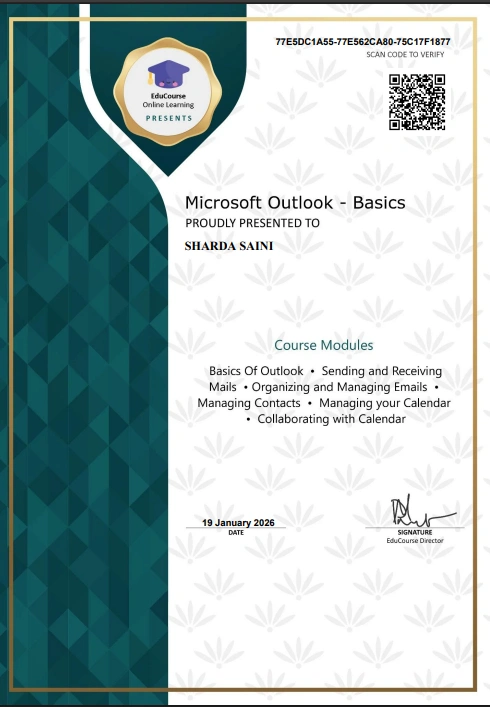
Organizer: Educourse Online Learning.
About the Course
- Topic: Free Online Course on Microsoft Outlook with Certificate
- 100% Free Course
- Mode: Online
- Open to All
- Own PC/Laptop for hands-on training
- Level: Beginner
- Language: English
- Minimum 80% Passed the Exam Every Lesson
- Completion of assignments
- Submission of mini project
- Certificate of All Participation
Course Content:
- Basics Of Outlook
- Sending and Receiving Mails
- Organizing and Managing Emails
- Managing Contacts
- Managing your Calendar
- Collaborating with Cale
Professional Skills Developed
This course builds practical, workplace-relevant skills that strengthen digital organisation and communication. Learners will develop competencies in:
Professional email writing and message management.
Organising inboxes using folders, filters, and categories.
Managing contact lists and digital address books.
Creating and coordinating appointments, meetings, and events.
Using calendar tools to plan and track daily or weekly schedules.
Understanding tasks, reminders, and workflow support features.
Managing digital correspondence securely and efficiently.
Coordinating communication in collaborative environments.
Apply Link
100% Correct Answers Online Course on Microsoft Outlook Here
Microsoft Outlook Course 1. Basics Of Outlook Basics of Outlook – Quiz
You will use these tabs to complete the most common tasks in Outlook, such as _.
Expansion of the desktop design
Composing an email, scheduling a meeting, or adding a contact
News and Information management and Calendar
ans. Composing an email, scheduling a meeting, or adding a contact ✅
The options in Backstage view will change depending on _.
How the browser works
Variety of online environment
Which view you have selected
ans. Which view you have selected ✅
You’ll need to set up Outlook before you can start using the application to manage _.
Your email, contacts, calendars, and tasks
Windows Explorer’s key bindings
Database clusters and databases
ans. Your email, contacts, calendars, and tasks ✅
If you use more than one email account-for example, one for personal email and one for work email-you can add multiple accounts to Outlook, allowing you to read and manage _.
Some of the Outlook services
All of your messages at the same time
Online messages through Outlook Home
ans. All of your messages at the same time ✅
The first time you open Outlook on your home computer, what will appear immediately ?
Fill in your login details
Update your Outlook home page
Add new account dialog box
ans. Add new account dialog box ✅
Microsoft Outlook Course 2. Sending and Receiving Mails Sending and Receiving Mails – Quiz
By default, the automatic send/receive interval is _.
Length to zero
Set to 12
30 minutes
ans. 30 minutes ✅
In the Choose default signature section, select the email account that you want to _.
Send emails to
Use your new signature for
Draft emails
ans. Use your new signature for ✅
Set your automatic out of office reply under the _.
Automatic replies tab
Outside My Organization tab
Microsoft Outlook tab
ans. Automatic replies tab ✅
Whenever you’re composing an email, it’s important to make sure your message is free from _.
Spelling and grammatical errors
Unreliable source code sharing
Formal actions that look similar
ans. Spelling and grammatical errors ✅
To print, Choose your settings, then click_______ .
Search for various options
Perform various tasks
Print
ans. Print ✅
Microsoft Outlook Course 3. Organizing and Managing Emails Organizing and Managing Emails – Quiz
You’ll use the Categorize icon to _.
work with specific items
customize and use categories
screen the text across the screen
ans. customize and use categories ✅
This is a Microsoft feature that is designed to organize your inbox automatically.
Folders
categories
Focused Inbox
ans. Focused Inbox ✅
You can use categories to color _.
code your messages
alloys and paints
to create colors
ans. code your messages
Another way to organize your Outlook inbox is to _.
outsource your email
defend or edit your email
archive or delete old messages
ans. archive or delete old messages ✅
What does the clean up tool do ?
Removes old content
Removes all Messages
Removes duplicate messages
ans. Removes duplicate messages ✅
Microsoft Outlook Course 4. Managing Contacts Managing contacts – Quiz
Outlook 2010 keeps all of your contacts organized in _.
accounts systems
Contacts view
Home screen
ans. Contacts view ✅
Once you’ve added contacts to Outlook, you’ll use the same contact information to send _.
Emails, schedule meetings, and assign tasks
To friends or business contacts
SMS messages to all your contacts
ans. Emails, schedule meetings, and assign tasks ✅
True or False ? You can import existing lists of contacts on Outlook from other accounts, such as Gmail.
True
False
ans. True ✅
Microsoft Outlook Course 5. Managing your Calendar Managing your Calendar
What does the To-Do Bar let you add.
Calendars, people, and tasks
To a list of similar items
Email lists and to do lists
ans. Calendars, people, and tasks ✅
If you click the Open Calendar button, you can _.
Enter an old calendar
Create a calendar
Delete all calendars
ans. Create a calendar ✅
To modify a meeting and alert your attendees of a cancelled meeting you can do this from _.
Outlook calendar
Outlook settings
Outlook homescreen
ans. Outlook calendar ✅
Single Choice: Managing calendars will let you accomplish what?
Send or organise emails
Create calendar groups
Merge calendar groups
ans. Create calendar groups ✅
Microsoft Outlook Course 6. Collaborating with Calendars Collaborating with Calendars – Quiz
After you’ve shared a calendar, you can edit your shared calendar settings by _.
a few minutes before your scheduled date
changing your calendar permissions
by the text in your document
ans. changing your calendar permissions ✅
Whenever someone shares a calendar, you will need to open that _.
climbing calendar
calendar to view its details
ignore calendar entries
ans. calendar to view its details ✅
Where will a shared calendar appear __.
The ribbon
The Backview
The View pane
ans. The View pane ✅
Just click the Calendar Permissions command on _.
the Ribbon
Manage the Calendar
popup
ans. the Ribbon ✅